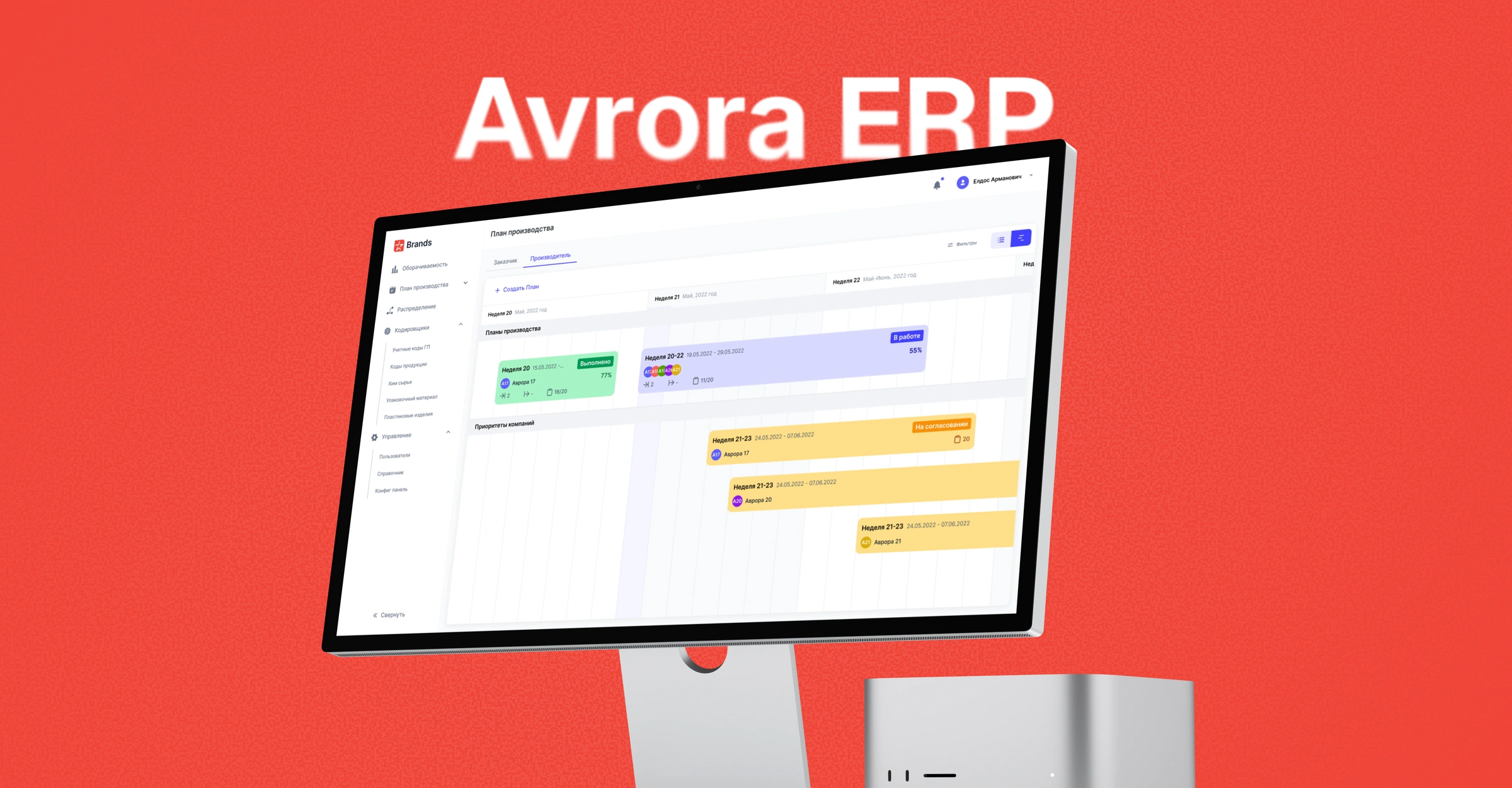
Avrora Holdings Enterprise · ERP
An ERP for production, purchasing, and warehousing
An internal system for a household chemicals factory. Teams create orders, plan production, manage raw materials, and check stock levels.
- My role
- Product Designer
- Audience
- Production, warehouse, and purchasing
- Project format
- Internal ERP
Factory operations in one ERP
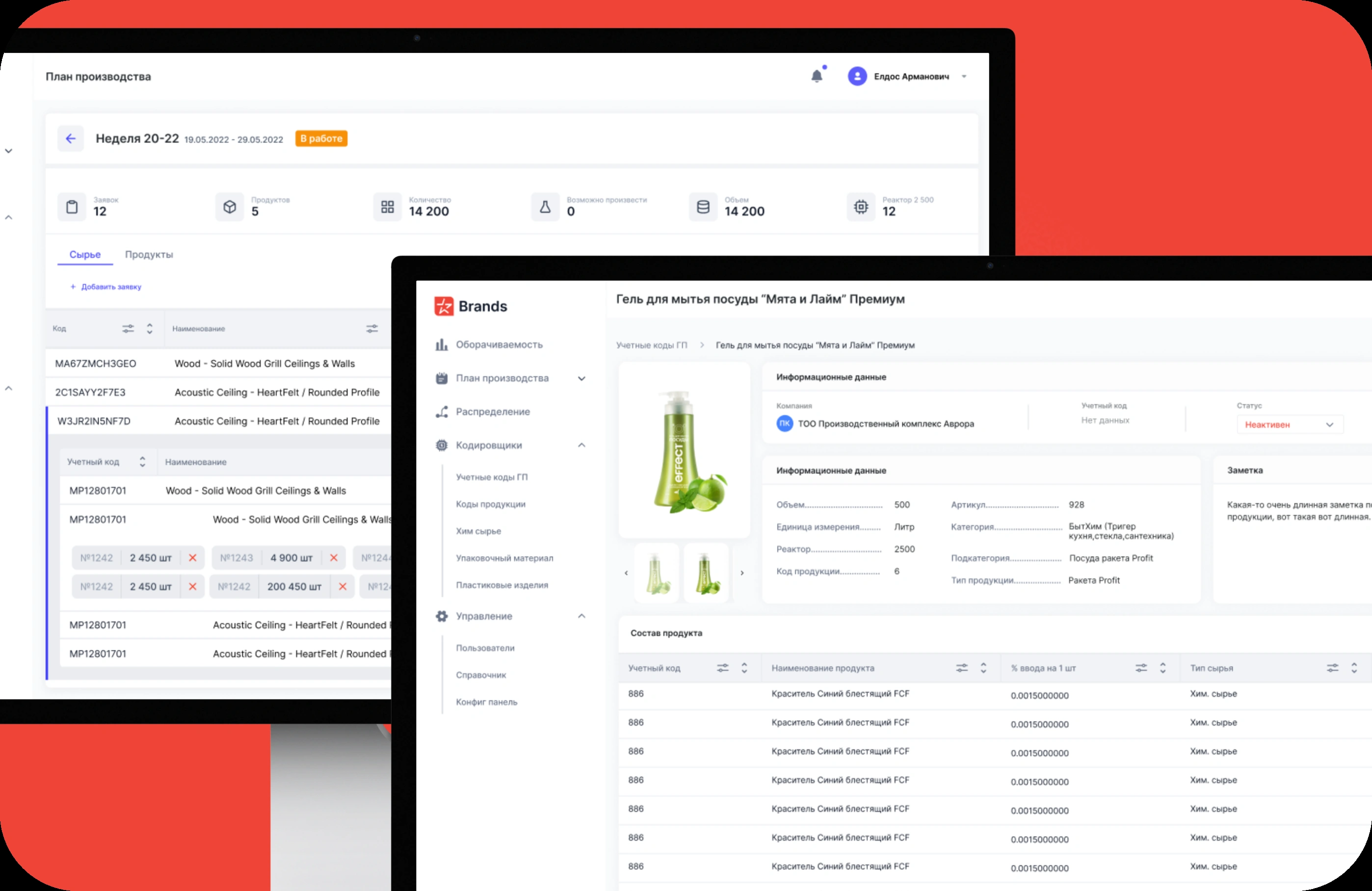
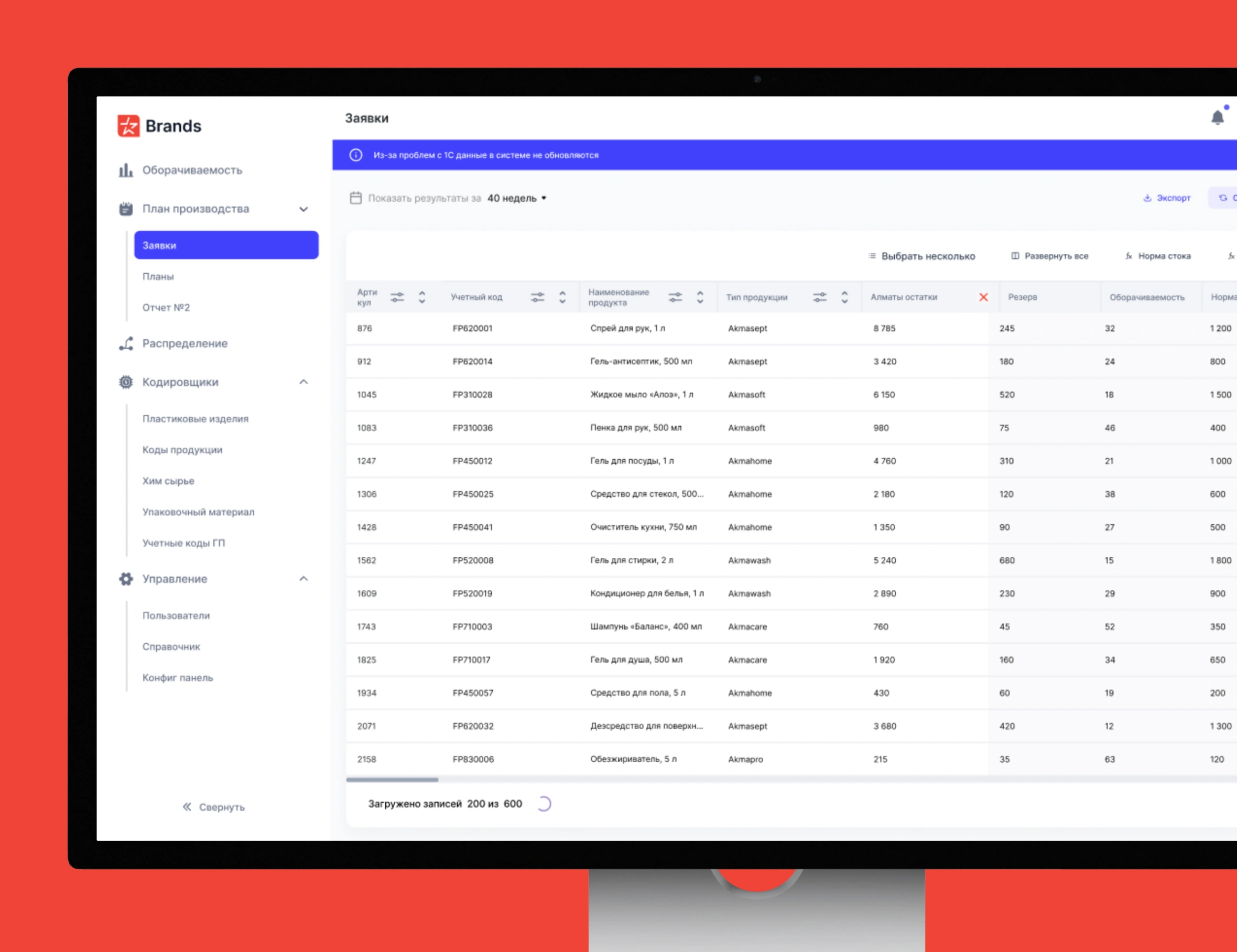
Managers create orders and plan production, while floor supervisors track progress. Buyers check material requirements against available stock, and warehouse teams check stock levels and reserved quantities. Administrators configure access to modules by role.

The challenge
The problem
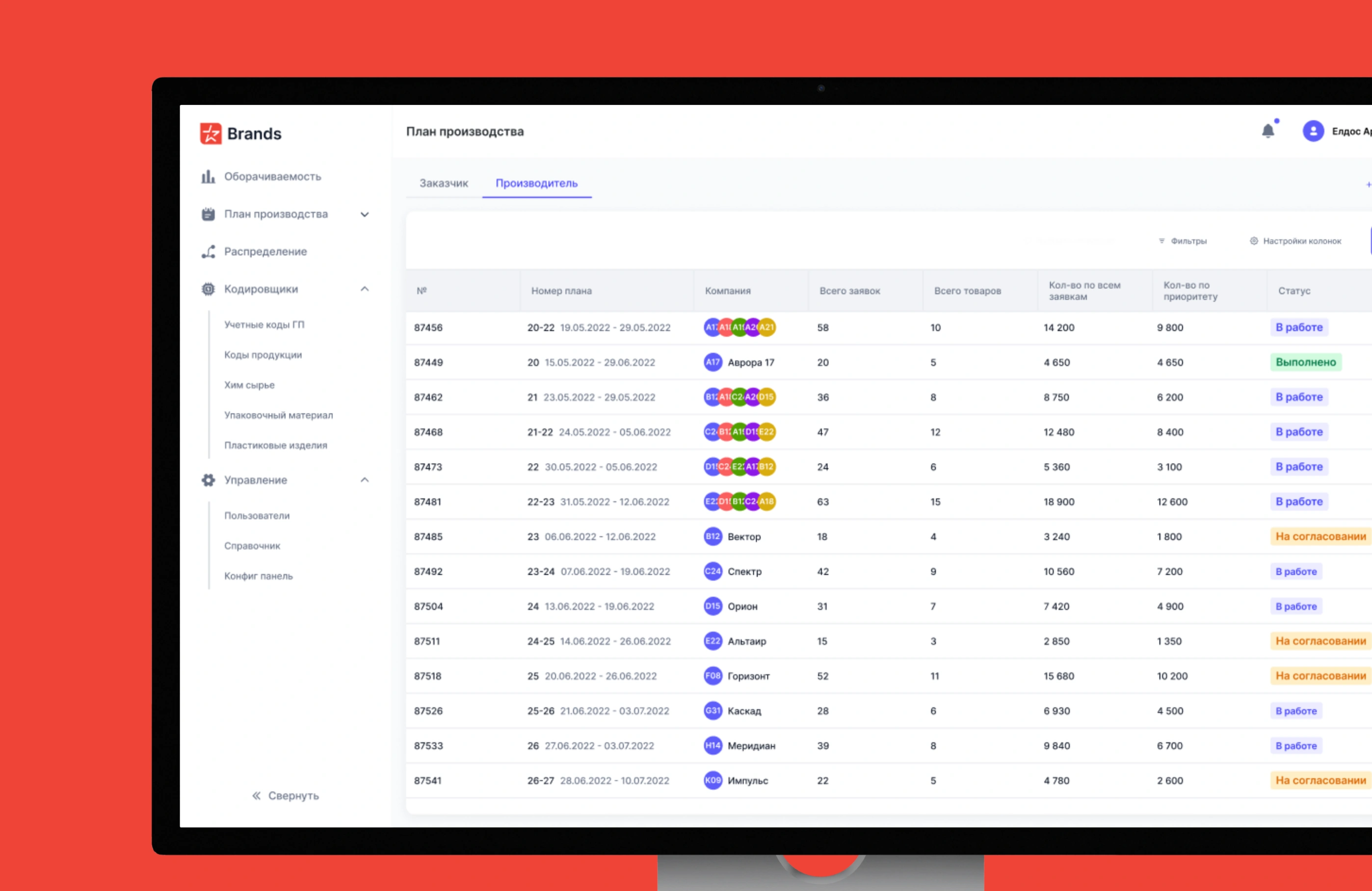
Production plans lived in Excel, tasks in Trello, and approvals in email and WhatsApp. Staff had to pull data from several sources to check the production plan against material requirements and available stock.
What made it harder
Production, purchasing, and warehouse teams have different jobs. The production plan depends on material availability, and stock checks depend on up-to-date data from 1C.
My contribution
I designed the main ERP modules and led 3 designers. With the team, I observed work on site and reviewed key scenarios with the factory director.
Approach
On site, we observed and interviewed staff and mapped handoffs between departments. We traced how production, purchasing, and warehouse teams reconciled production plans with material requirements and stock levels. We reviewed key ERP workflows with the factory director.
I linked the production plan to material requirements and stock levels. Each department could access that data from its own workspace.
Key decisions
Raw material management
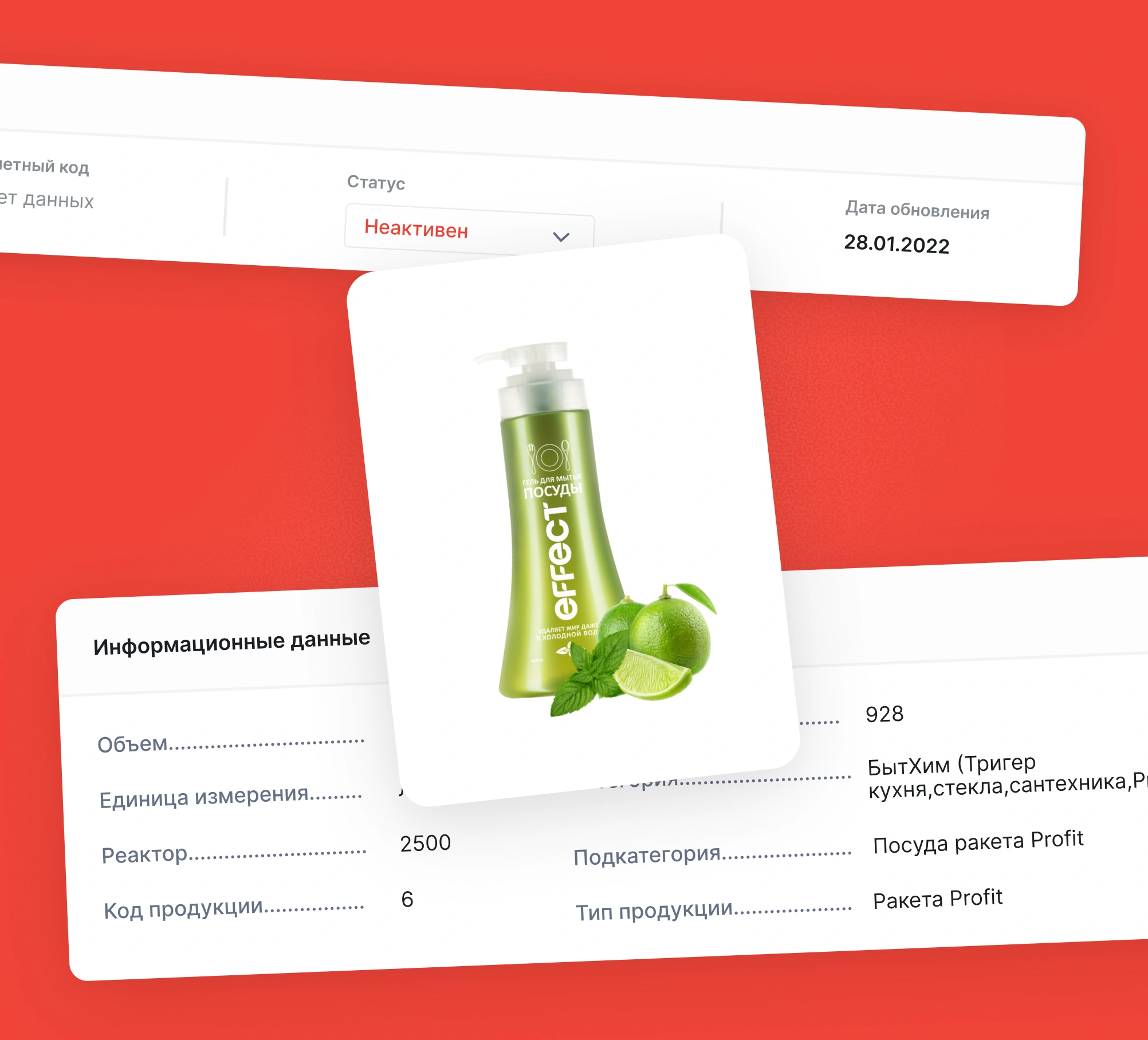
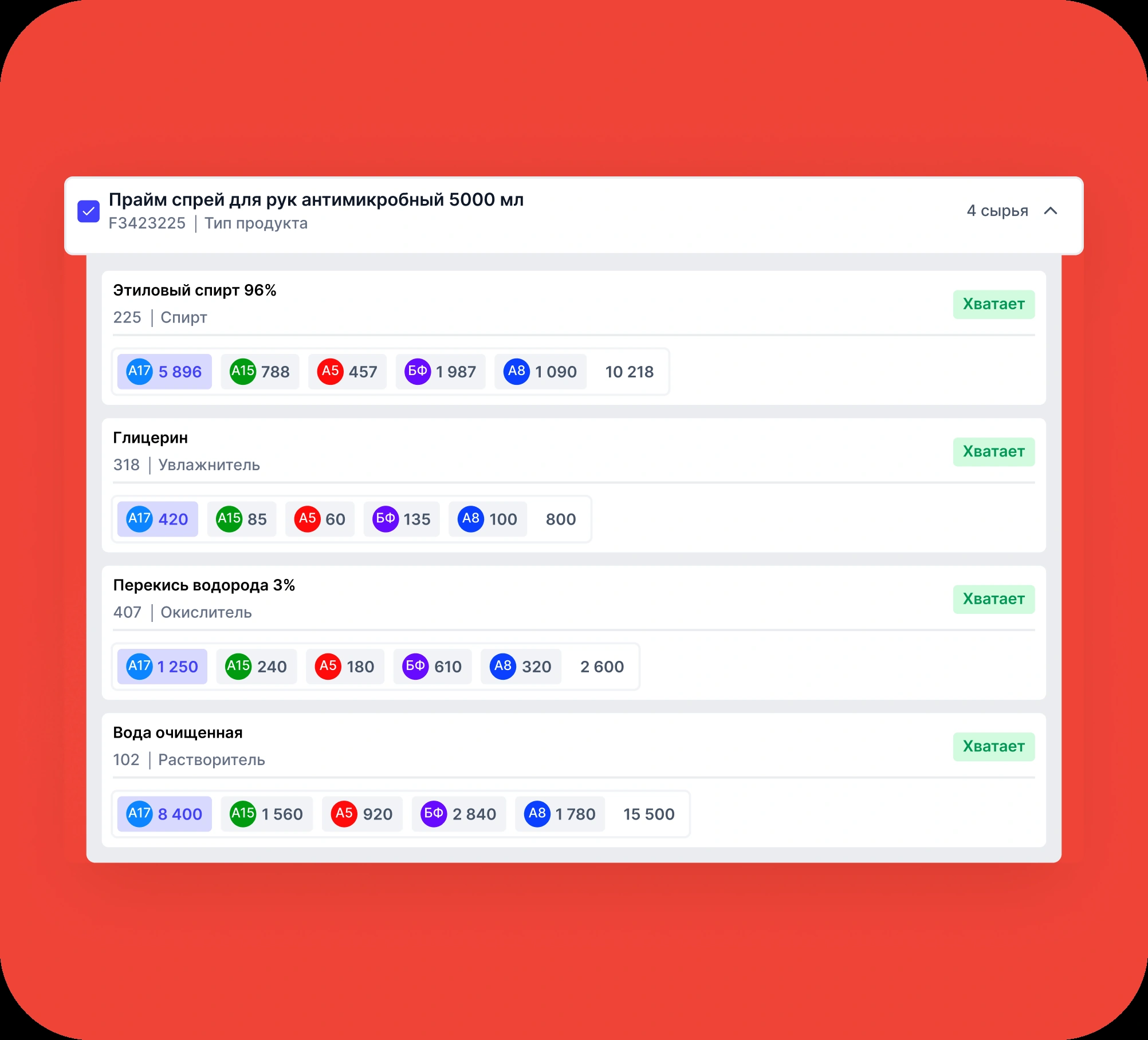
Process engineers check how much material each product requires and refer to its bill of materials. Buyers compare those requirements with available quantities and related requests.
Warehouse and stock levels
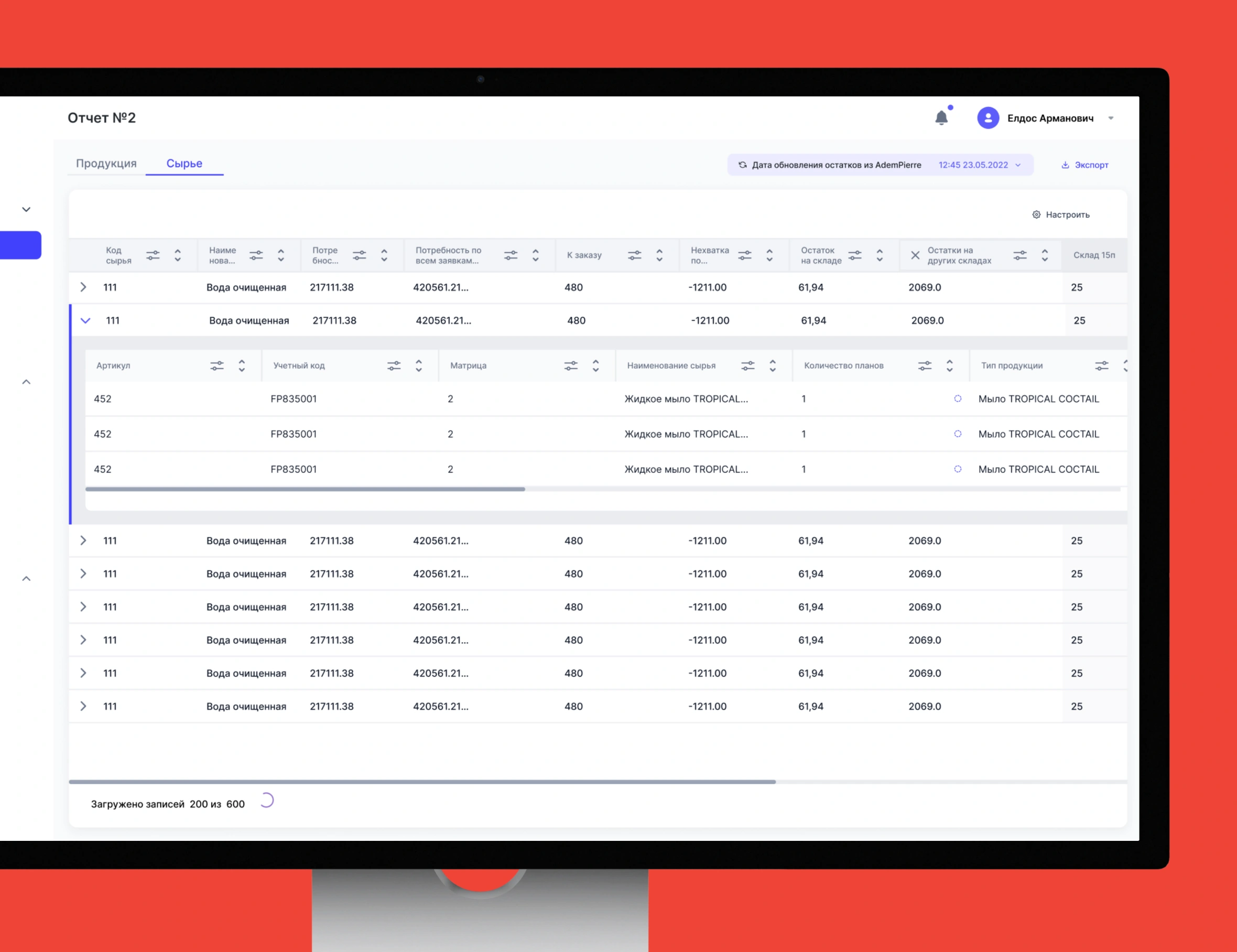
Warehouse staff can see stock by city, reserved quantities, and target stock levels. If syncing with 1C fails, a warning next to the last update tells staff the data may be out of date.
A dedicated module for roles
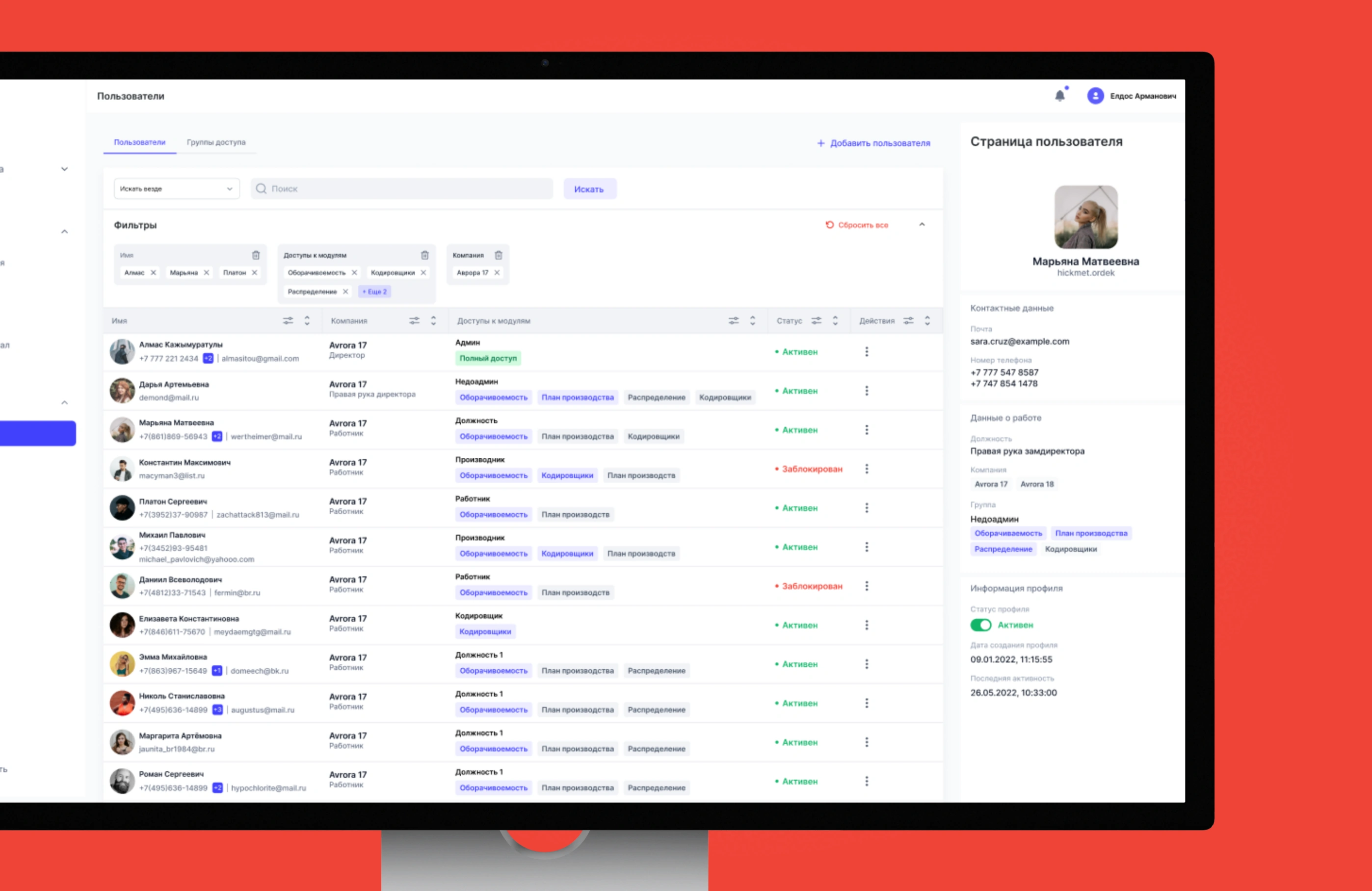
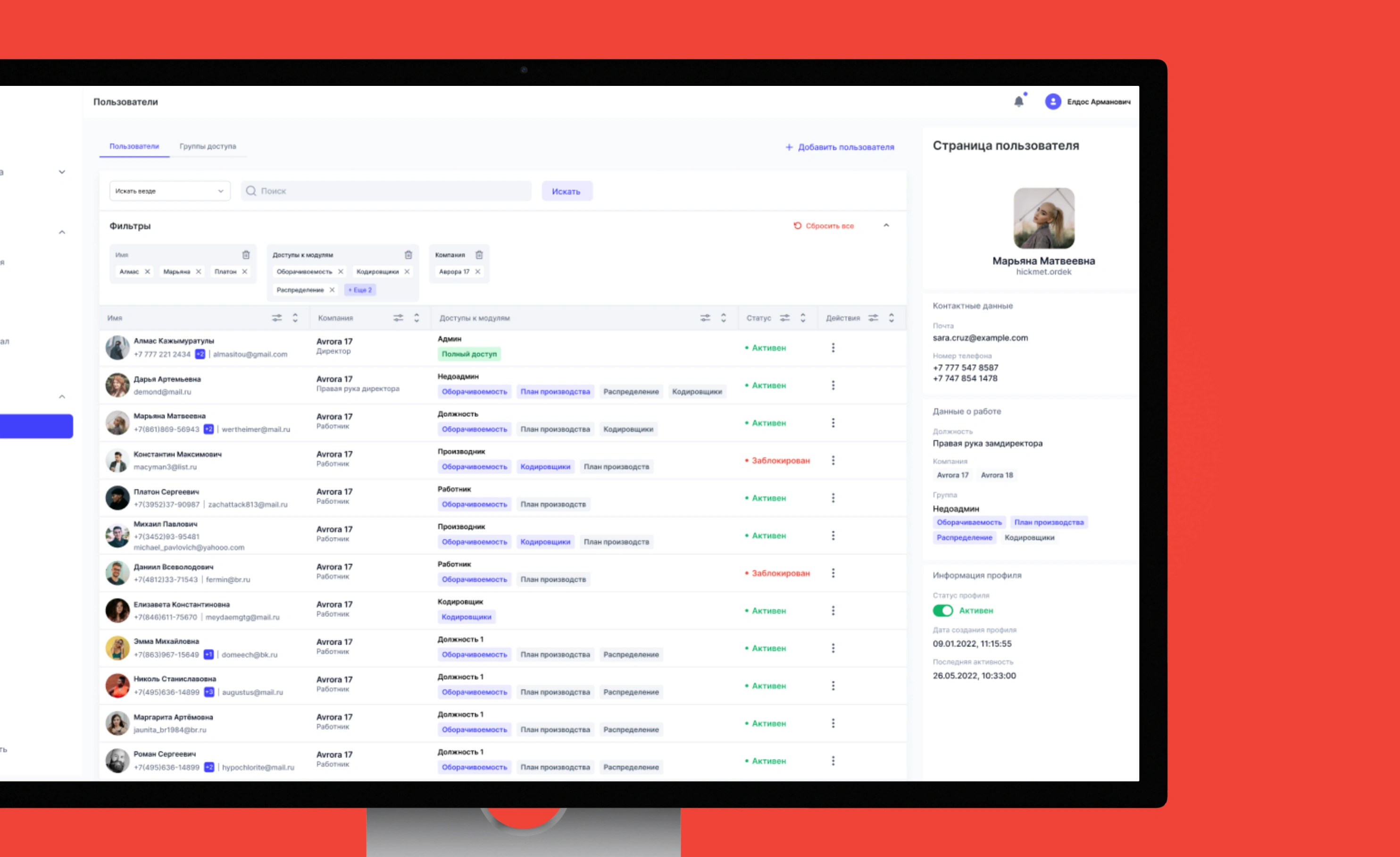
Administrators configure roles and permissions in a dedicated module. Staff see the actions their role allows in their own workspaces.
Outcome
The ERP brought together order management, production planning, raw materials, and inventory. Access to modules and actions is configured by role.