BAO Food delivery · Mobile app
Delivery directly from BAO
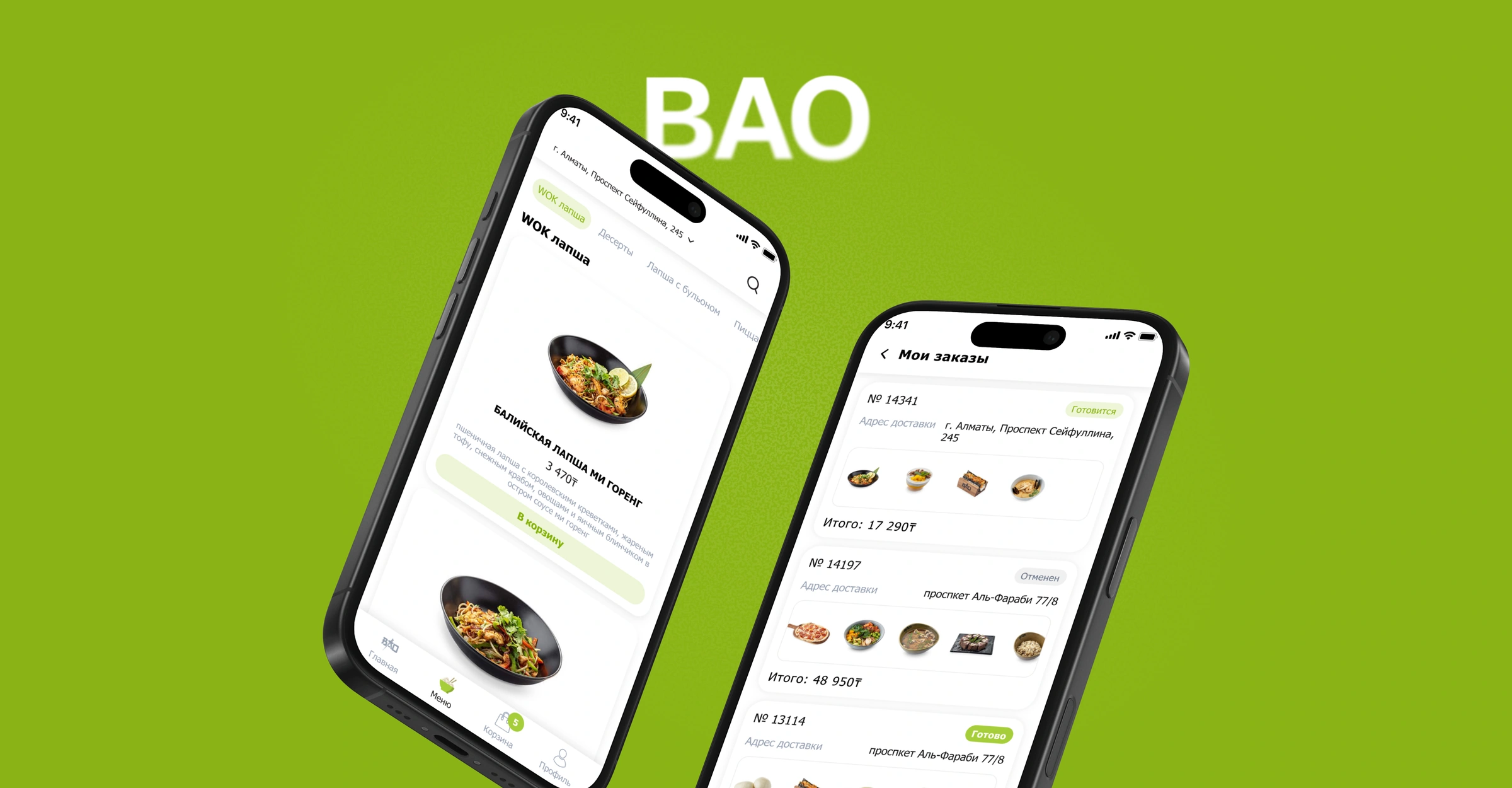
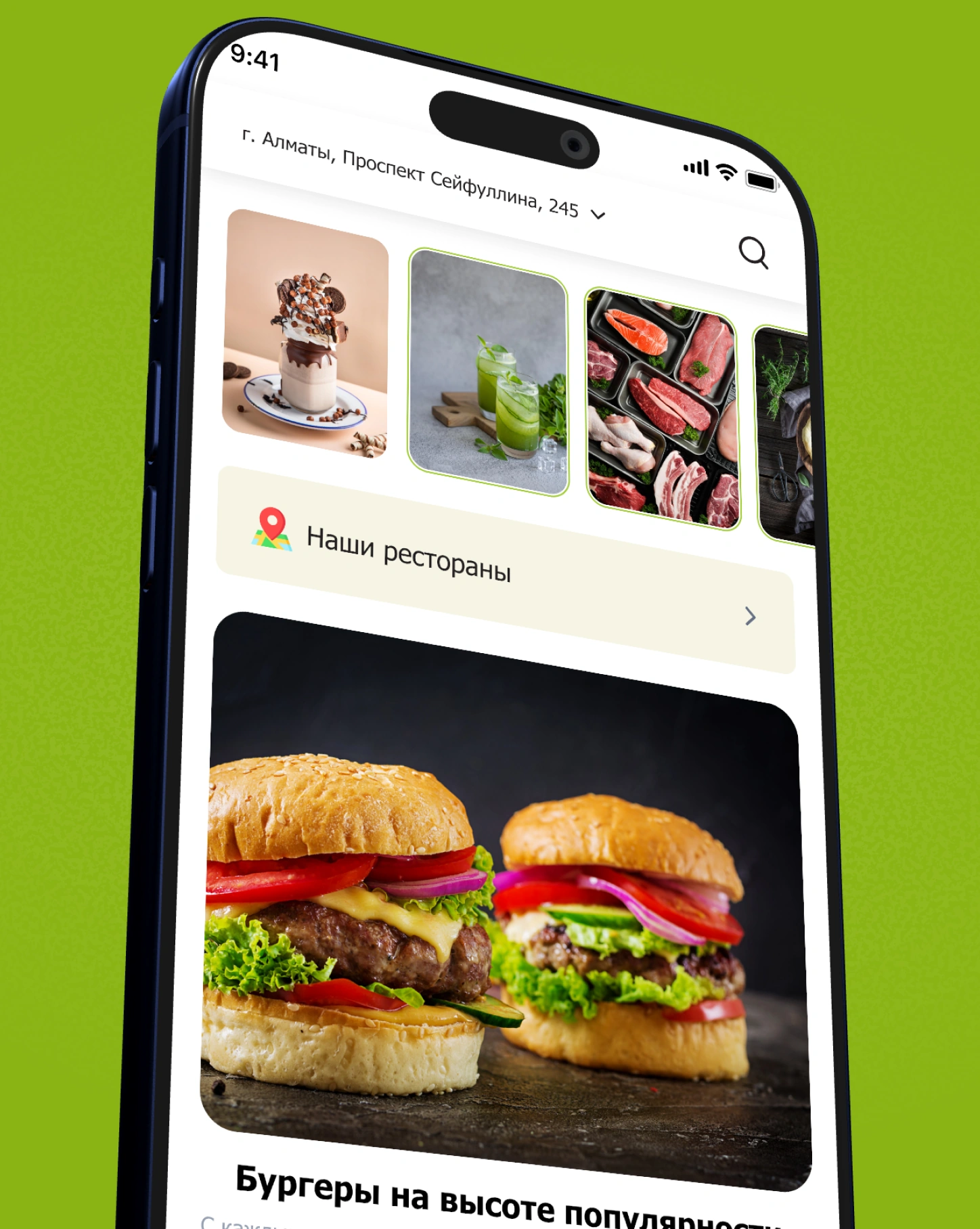
In the BAO app, guests can browse the menu, order delivery, and check their order status.
- My role
- Product Designer
- Audience
- BAO guests
- Project format
- Mobile app
Direct delivery and repeat orders
BAO developed its own delivery service to take orders directly. In the app, guests can browse the menu, see and use current offers, and earn rewards for future orders.
The challenge
The problem
BAO was developing its own delivery service. First-time guests needed a menu they could navigate quickly. For repeat orders, the app offered promotions and rewards earned on earlier purchases.
What made it harder
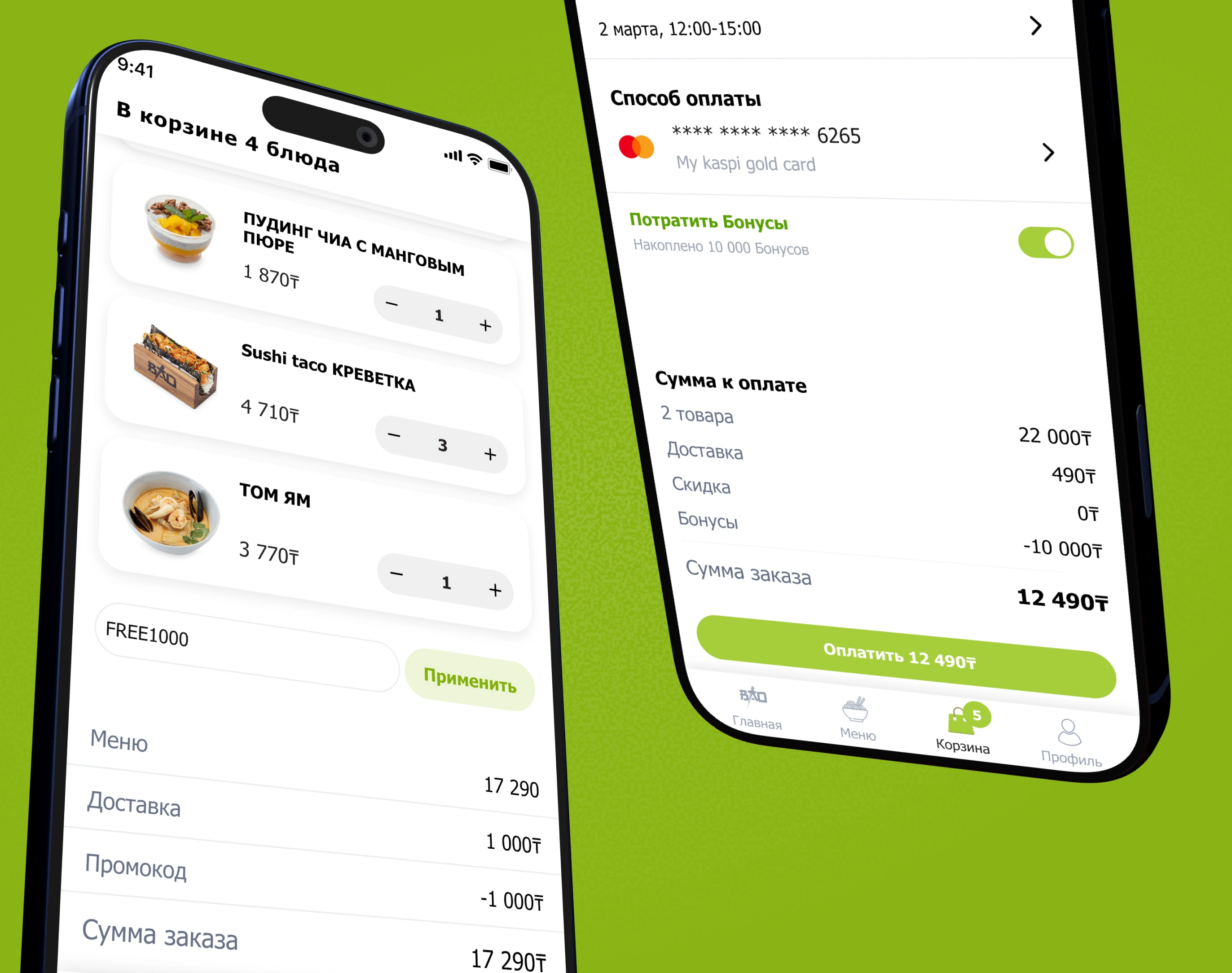
A promo code or redeemed reward changes the total. Before paying, guests need to see how the price adds up and confirm the address, delivery time, and payment method.
My contribution
I designed the menu and search, promo codes in the cart, reward redemption at checkout, and order history.
Approach
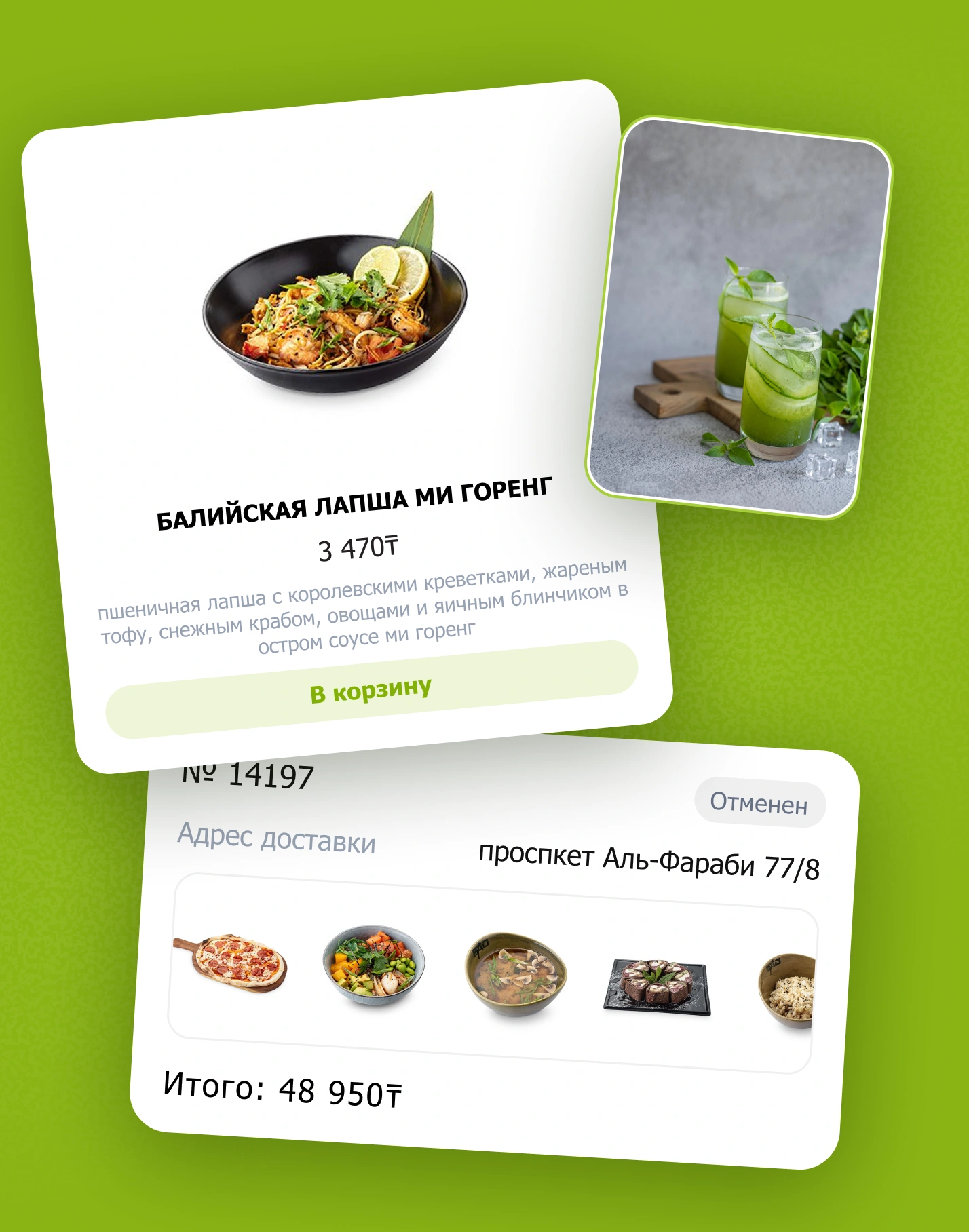
I kept each dish’s photo, ingredients, price, and add-to-cart button together in the menu. Checkout brings the address, delivery time, and payment method together so guests can review the details before paying.
Key decisions
Promo codes, rewards, and the order total
Guests enter a promo code in the cart, then see their rewards balance at checkout and choose whether to use it. The price breakdown shows food, delivery, discounts, and redeemed rewards before payment.
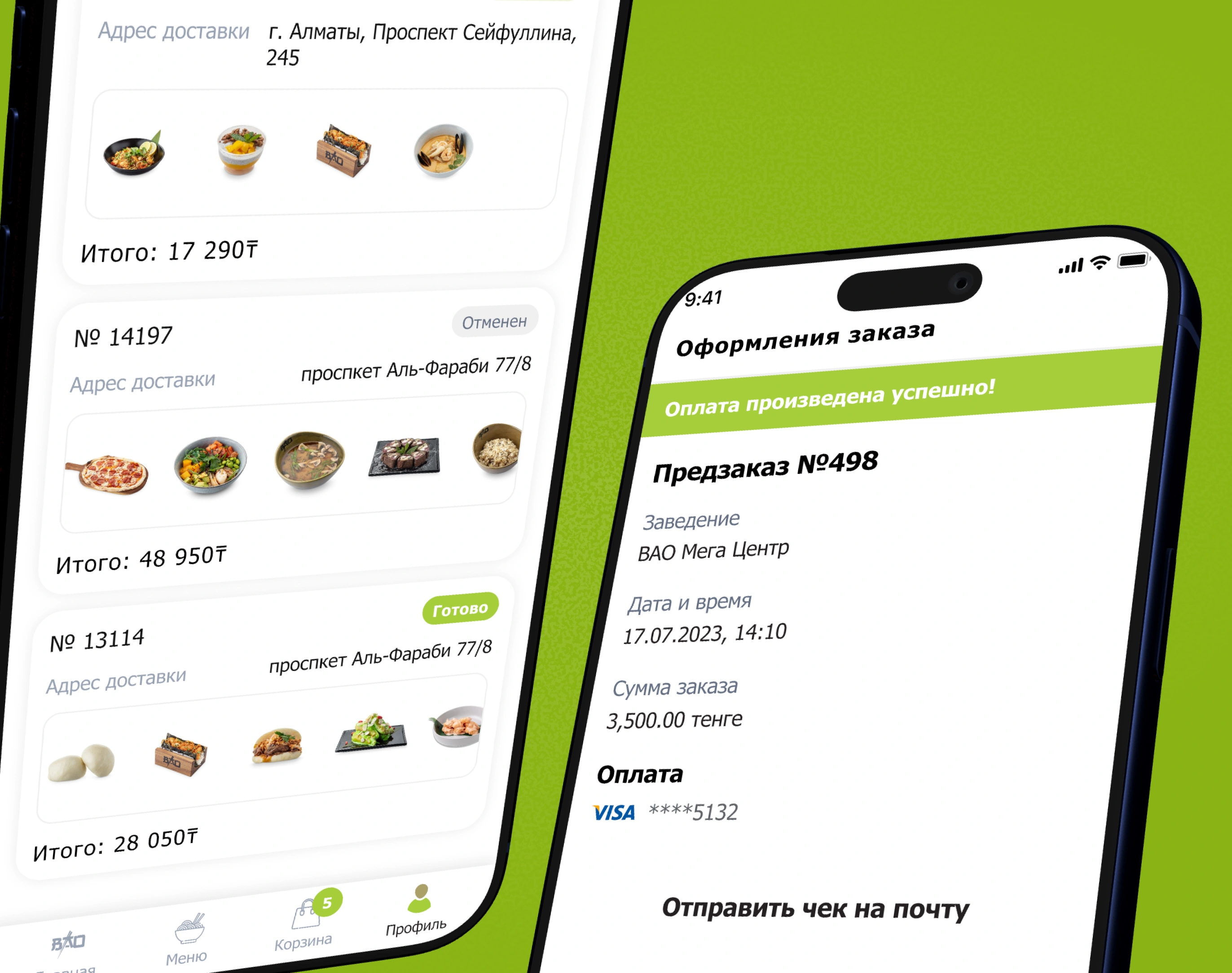
Order confirmation and status
After payment, guests can review their order details and email the receipt. My Orders shows the dishes, total, and current status.
Outcome
I designed the direct ordering flow in the BAO app and integrated the loyalty program into checkout. Guests can see how promo codes and redeemed rewards affect the total before paying.