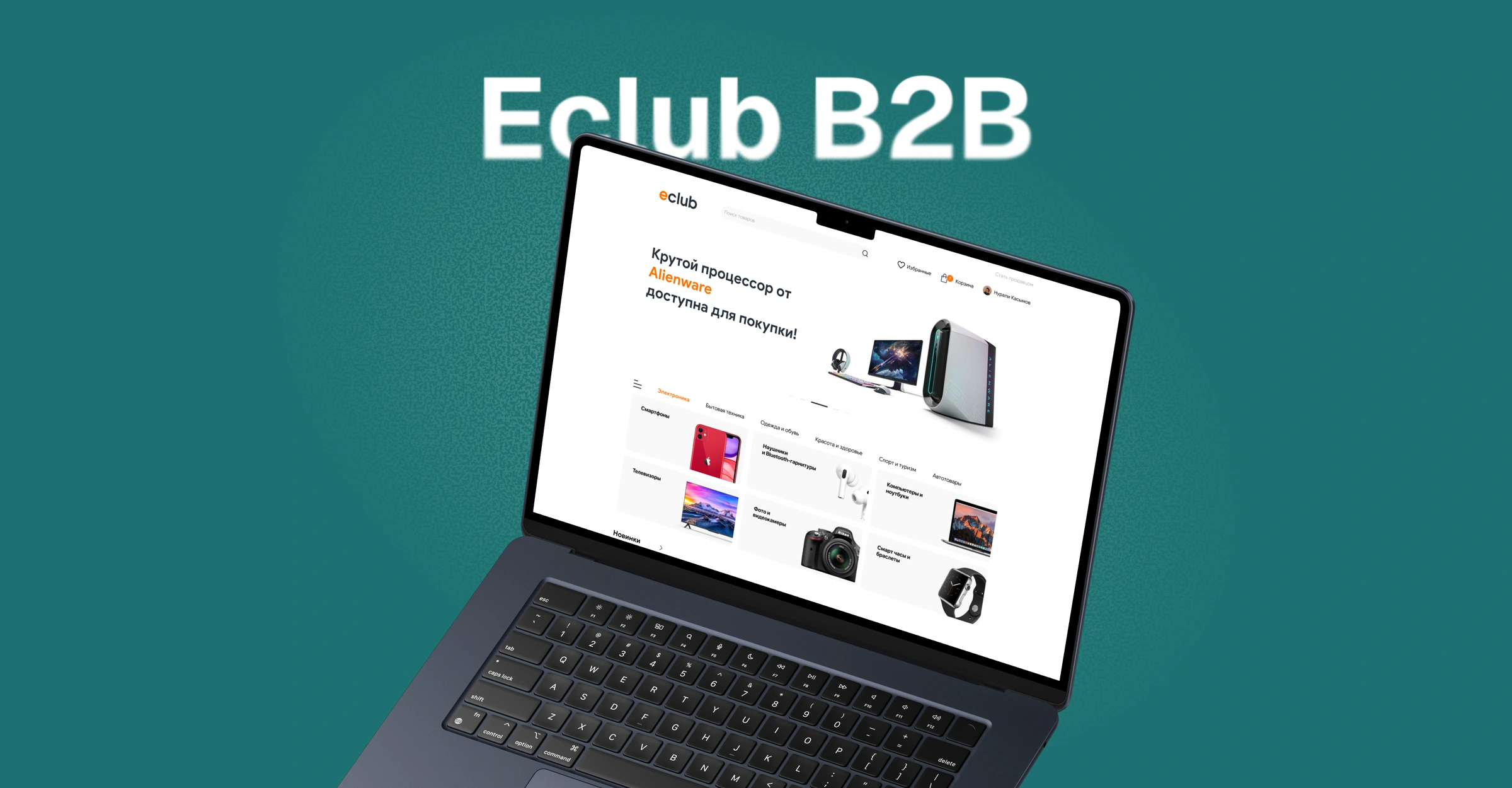
Eclub B2B Marketplace · Web
Choosing a seller and checking out on the marketplace
The buyer side of Eclub. Shoppers compare product variants, review their cart, and order from marketplace sellers.
- My role
- UX/UI Designer
- Audience
- Marketplace shoppers
- Project format
- Web prototype
Key specs in search results
Each card shows the model, configuration, and price. Search and filters help shoppers narrow results by category, brand, and budget.
The challenge
The problem
Several stores can sell the same model. Shoppers need to compare variants and then check quantities, contents, and the order total.
What made it harder
Buyers compare offers in search results, see how quantity changes affect the total in the cart, and review the items and total when choosing a payment method.
My contribution
I designed the search results, the editable cart, and the step-by-step checkout.
Approach
I kept the items and total side by side in the cart so shoppers can verify quantity changes immediately. Checkout separates delivery, payment, and confirmation while retaining the order summary.
Key decisions
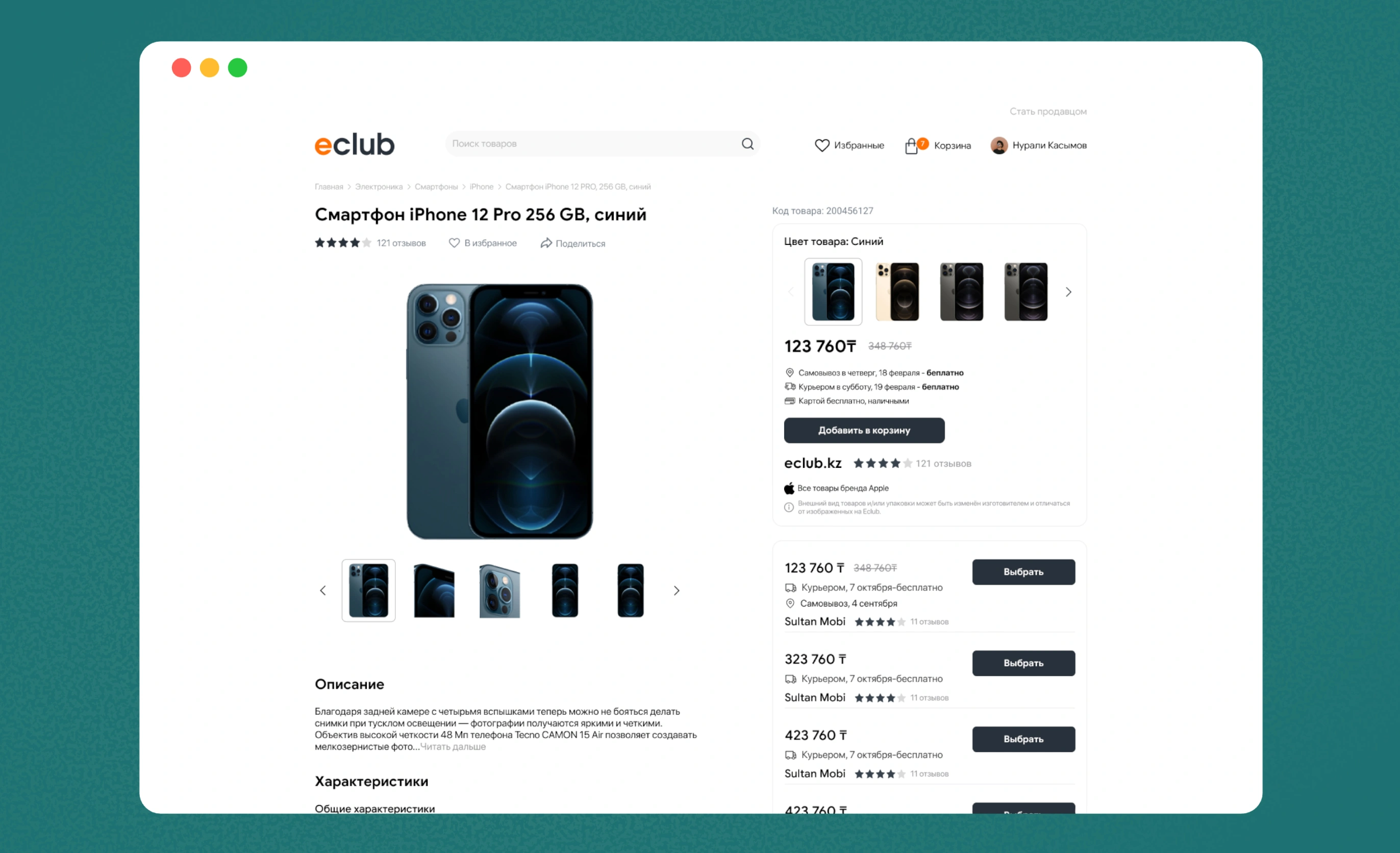
Purchase terms on the product page
The product page combines photos, specifications, and variants. Shoppers can check the price and purchase terms beside the offer.
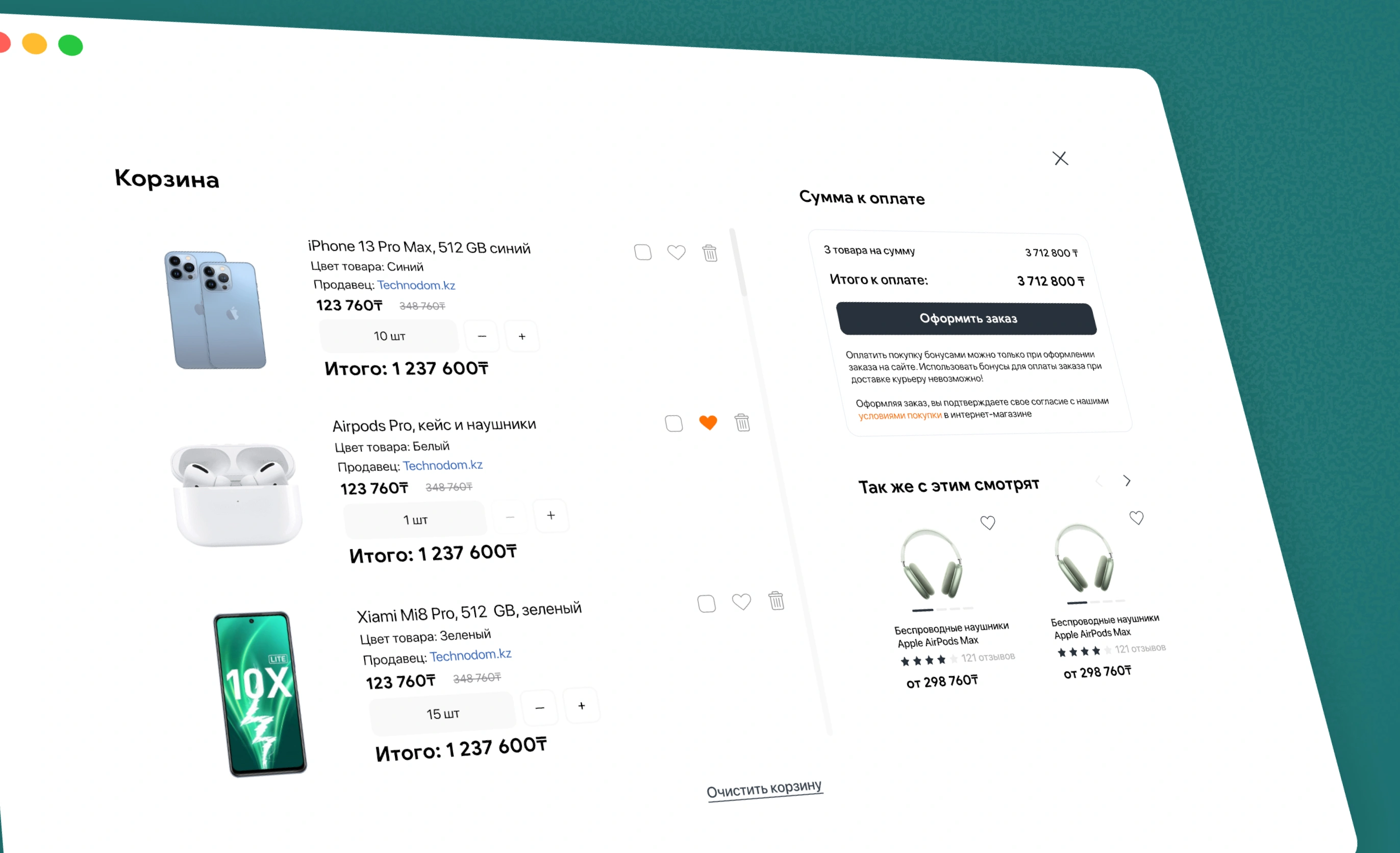
Quantities and totals in the cart
Each item has its own quantity control. The summary and checkout action stay together in a separate column.
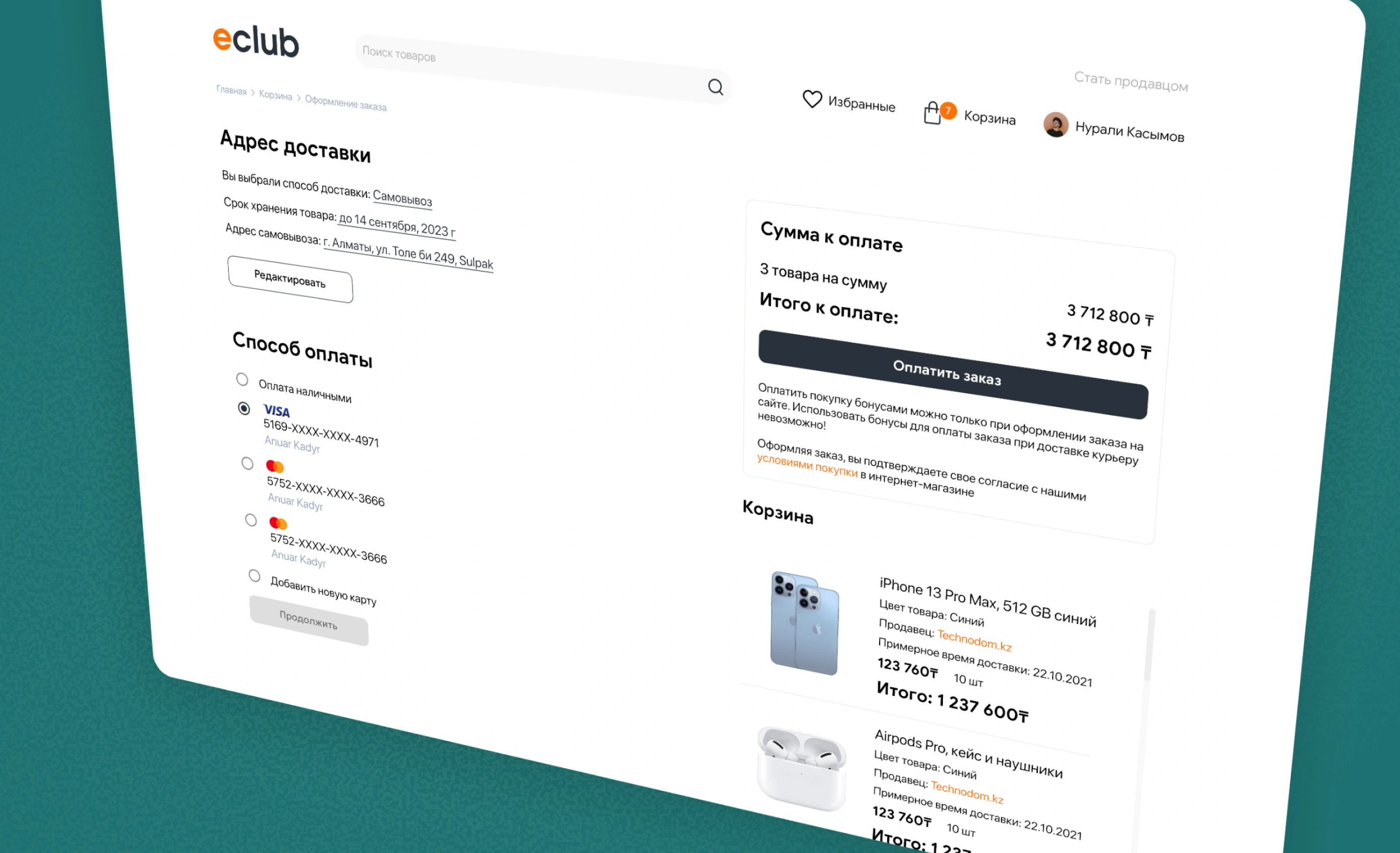
Order summary alongside payment
Delivery and payment are separate steps. When choosing a payment method, shoppers still see their items and can verify the order.
Outcome
The prototype covers the journey from search to purchase confirmation. Checkout supports card payment, invoicing, and retrying after a failed payment.