Eclub Merchant Marketplace · Seller dashboard
Orders and inventory in one place
Eclub brings store performance, order handling, and marketplace inventory into one seller workspace.
- My role
- UX/UI Designer
- Audience
- Marketplace sellers
- Project format
- Seller web interface
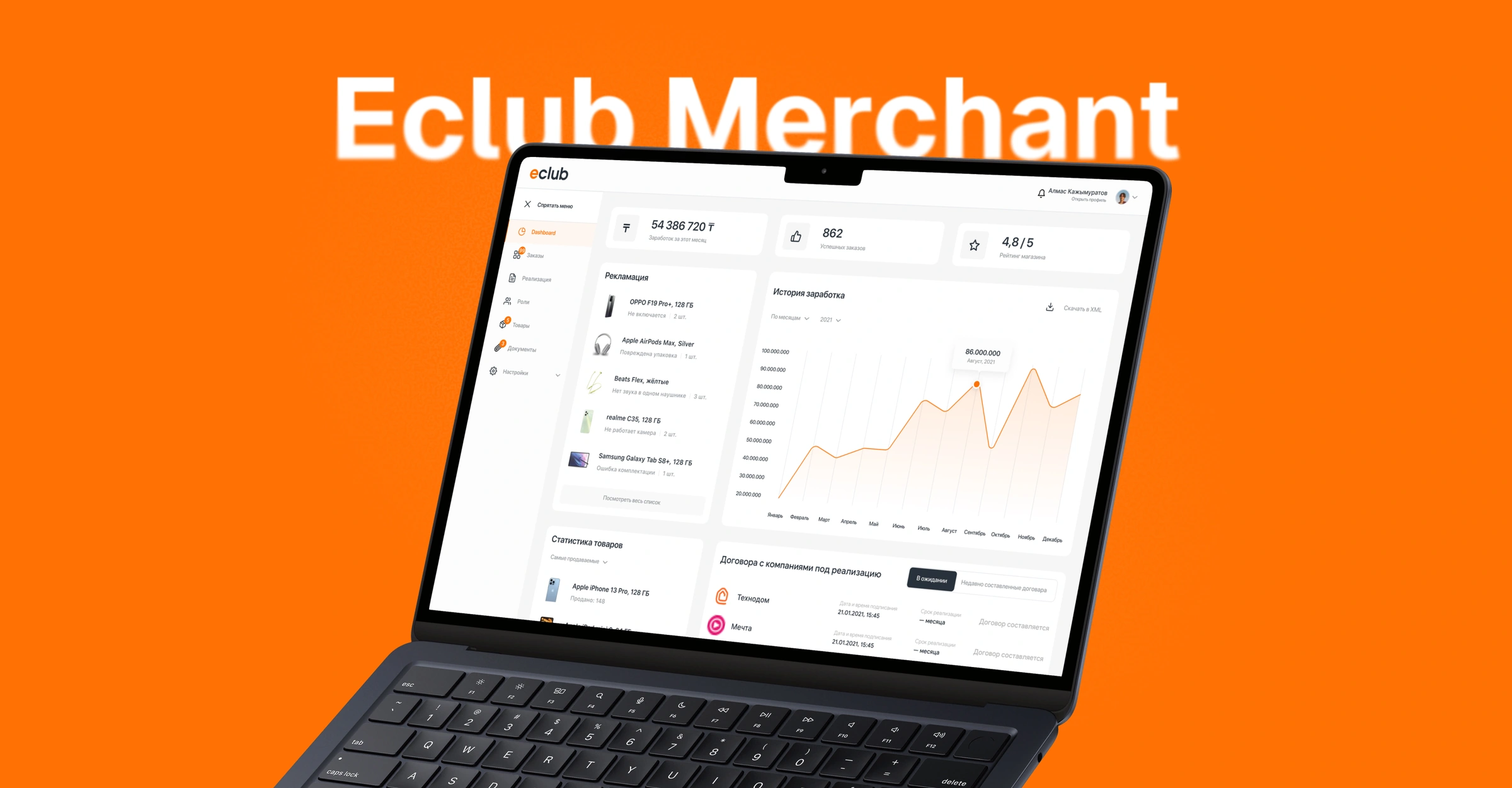
Store activity at a glance
I brought sales, orders, and products together on one page. Metrics summarize the selected period, and lists show which items may need a closer look.

The challenge
The problem
For an order, sellers need its deadline and handover method immediately. For a product, they need to know where it is available and whether it is still being processed.
What made it harder
Each workflow has different priorities. Orders are time-sensitive, stock varies by city, and a single file can contain both valid and invalid entries.
My contribution
I designed the dashboard, order handling, consignment agreements, inventory by city, and bulk upload.
Approach
I separated store performance from order handling. The dashboard shows sales and orders for the selected period. In the order list, sellers can check the processing deadline and handover method, then accept or reject an order from the same row.
Key decisions
Deadlines and actions in the order list
The list shows processing deadlines and available actions. Sellers can prioritize an order, check handover details, and accept or reject it from its row.

Inventory grouped by status
Products are divided into tabs: active, archived, under review, and drafts. Each row shows price, quantity, regional availability, and listing status.

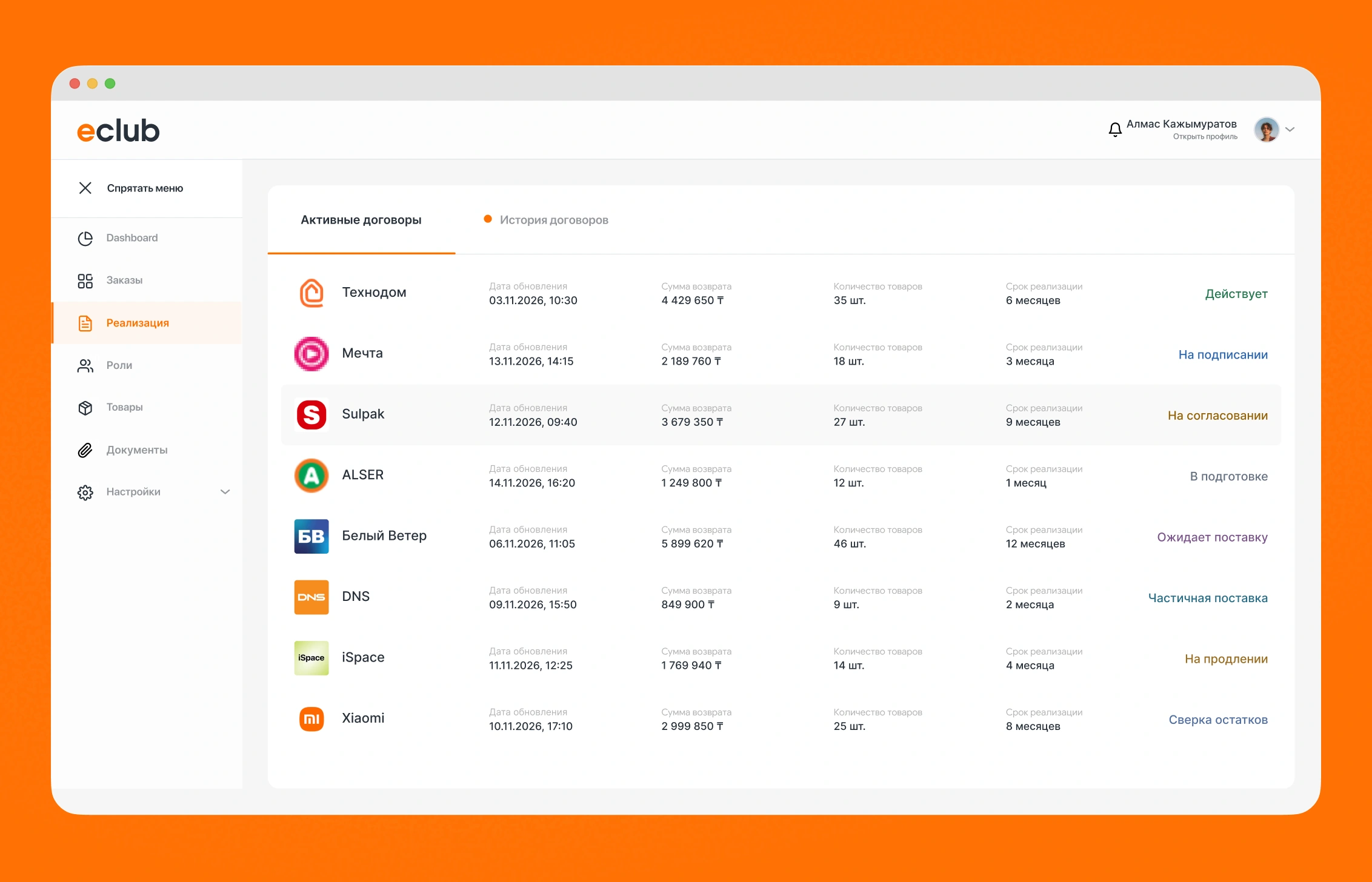
A workspace for agreements
Sellers can see the counterparty, term, and agreement status in the list. In the agreement, they can review items, confirm the term, and attach documents.

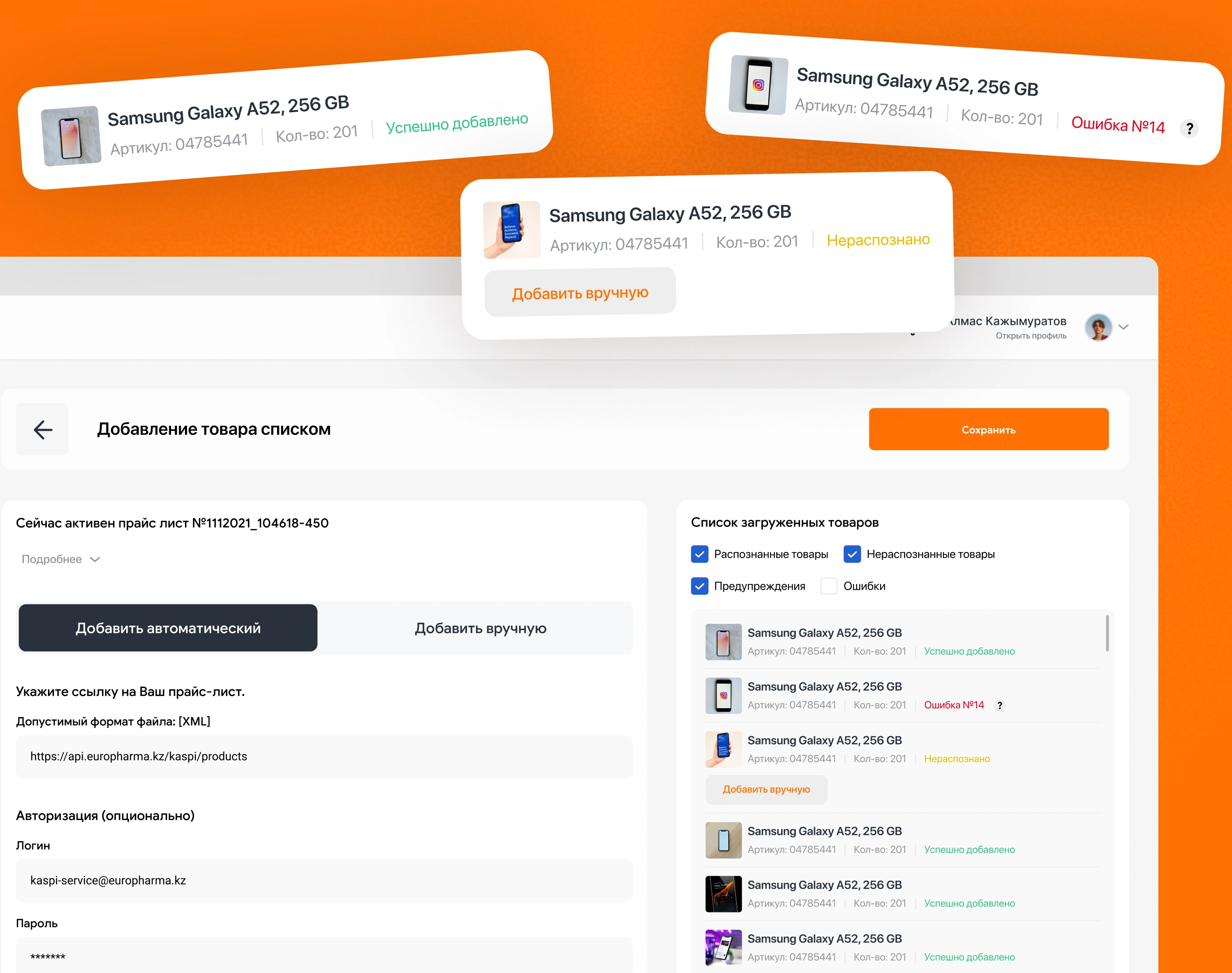
Product import results
The import reports a status for every entry. Sellers can fill in unrecognized items manually while retaining the rest of the upload results.
Outcome
The designs let sellers review store activity, handle orders, check agreement terms, and update inventory. Prices and stock counts are illustrative.